Model Context Protocol: Standardizing Answer Engine Integrations Across Platforms (How-To)
Learn how to implement Model Context Protocol (MCP) to standardize Answer Engine tool integrations, improve reliability, and scale across platforms.
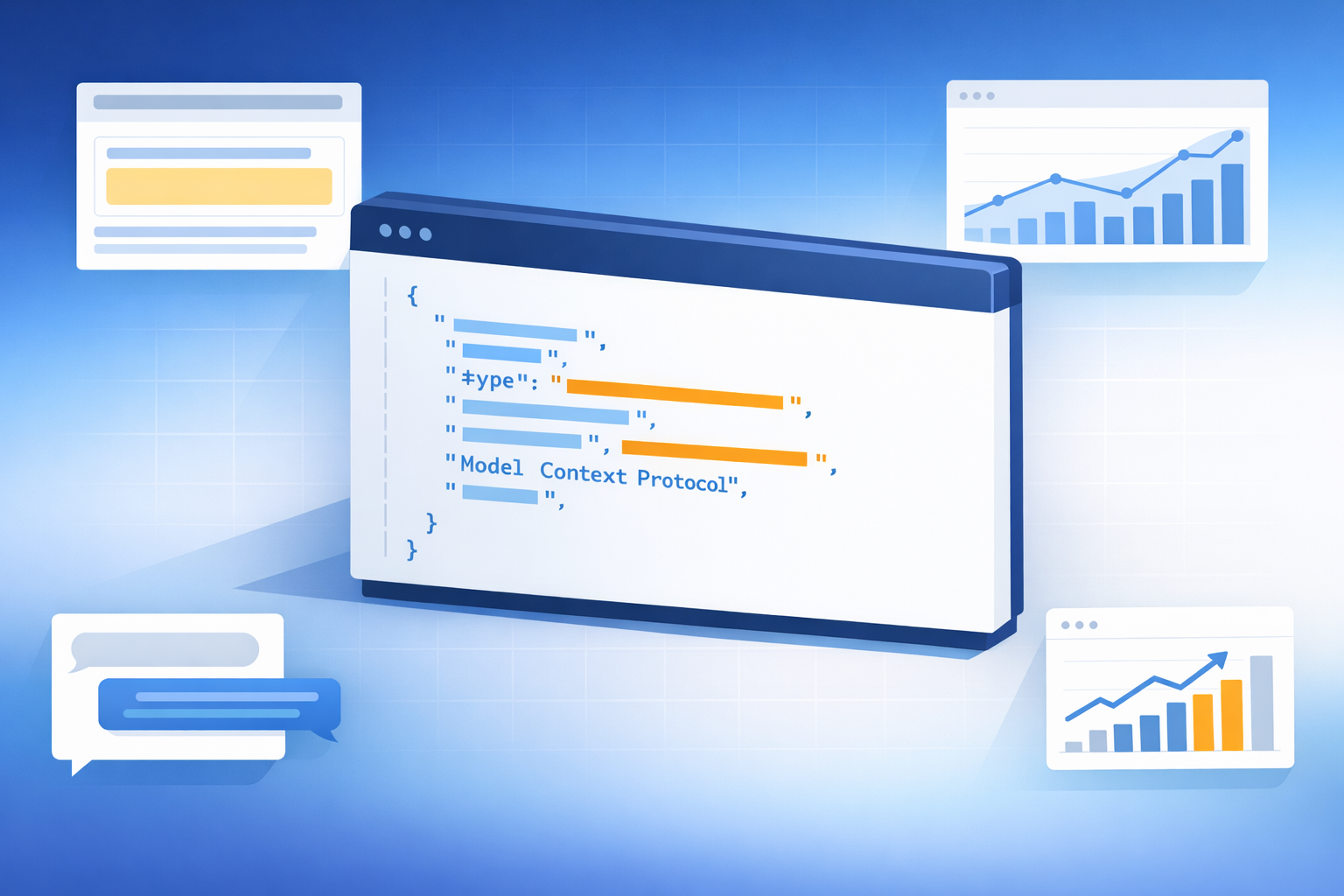
Model Context Protocol: Standardizing Answer Engine Integrations Across Platforms (How-To)
Model Context Protocol (MCP) is an emerging standard for connecting AI systems to external tools and data sources through a consistent interface. For teams building Answer Engines (systems that retrieve, ground, and synthesize answers with citations), MCP can reduce integration sprawl: instead of rewriting tool connectors for every client (chat UI, browser assistant, internal copilot, or third-party Answer Engine provider), you expose capabilities once via MCP and reuse them across platforms.
This how-to guide walks through prerequisites, building an MCP server, connecting multiple Answer Engine clients, and making the integration reliable, secure, and observable. It also includes a reference architecture and practical metrics you can track to prove improvement in tool-call reliability and citation quality.
MCP standardizes tool invocation (inputs/outputs, errors, and capability discovery). Your Answer Engine still needs retrieval, ranking, context assembly, and synthesis—but MCP makes the “connect to systems” layer portable across clients.
Internal reading (recommended): Generative Engine Optimization (GEO) tools overview; Answer Engine fundamentals: retrieval, grounding, and citations; AI Content Processing pipeline: context assembly and synthesis; AI Retrieval & Content Discovery: indexing, freshness, and ranking; Answer Engine providers comparison.
Prerequisites: What you need before implementing MCP for an Answer Engine integration
Define your integration goal (tools, data sources, or actions)
Start by defining what “success” looks like for the Answer Engine. Are you enabling read-only retrieval (search and fetch), write actions (create/update records), or multi-step workflows (search → select → act)? MCP makes it easy to expose capabilities, but you still need to scope them so the model can reliably choose the right tool and so you can enforce least privilege.
- Read-only retrieval: e.g., search_docs, get_article, get_customer_profile (limited fields).
- Write actions: e.g., create_ticket, update_order_status (require idempotency keys and approvals).
- Workflows: break into small tools so the Answer Engine can plan steps deterministically.
Inventory your systems: APIs, auth, data sensitivity, and latency needs
Before you build an MCP server, document each target system’s API surface and constraints. This prevents “tool drift” later (where the model expects fields or behaviors that aren’t actually available) and helps you design safe schemas and timeouts.
| Constraint | Typical target / example | How it influences MCP design |
|---|---|---|
| p95 latency budget | Interactive tool calls often aim for p95 < 500–800ms | Set strict timeouts; prefer small payloads; add caching for hot reads; paginate results. |
| Rate limits | e.g., 60–600 RPM per token/client | Add request coalescing, backoff, and “max_results” defaults to prevent over-fetching. |
| Auth method | OAuth, API keys, service accounts | Centralize token exchange; enforce least-privilege scopes per Answer Engine client. |
| Data classification | PII/PHI/PCI vs. public/internal | Use allowlists for fields; redact sensitive values; log safely; consider “summary-only” tools. |
| Tool call timeout | e.g., 5–15s hard cap depending on client UX | Return partial results when possible; provide retryable error shapes; avoid long-running jobs without async patterns. |
If your Answer Engine can call a tool, assume it will eventually call it in unexpected ways. Design schemas and permissions so the worst-case tool call is still safe (field allowlists, row-level access, and strict scopes).
Choose an MCP topology: one server per tool vs. gateway server
Topology affects security boundaries and maintenance. A “server per capability” model can isolate risk and simplify ownership, while a gateway can standardize auth, logging, and routing. Many teams start with a gateway for speed, then split high-risk or high-traffic tools into dedicated servers.
MCP gateway vs. multiple MCP servers
- Gateway: centralized auth, logging, rate limiting, and policy enforcement
- Gateway: one endpoint to configure across Answer Engine clients
- Multiple servers: stronger isolation and clearer ownership per domain
- Multiple servers: independent scaling and deployment per tool set
- Gateway: can become a bottleneck or single point of failure if not designed well
- Gateway: wider blast radius if misconfigured
- Multiple servers: more endpoints, more operational overhead
- Multiple servers: duplicated cross-cutting concerns (auth/logging) unless shared
Step-by-step: Build an MCP server that exposes your tools to an Answer Engine
Map user intents to MCP tools (and keep tools small)
List the top intents your Answer Engine must satisfy, then map each intent to a small, single-purpose tool. Small tools reduce parameter hallucinations and make tool selection more consistent across different Answer Engine clients.
Example minimal tool set:
• search_docs(query, filters, max_results)
• get_doc(doc_id)
• create_ticket(title, description, priority, idempotency_key)
Define tool schemas and safe defaults
Define strict input/output schemas: types, required fields, enums, and bounds. Add safe defaults like max_results, allowed fields, and pagination tokens. For write actions, require idempotency keys and validate inputs server-side.
Guardrails to include in schemas:
• max_results with a conservative default (e.g., 5–10)
• filter allowlists (e.g., status ∈ {open, closed})
• field allowlists (only return what the model needs)
• explicit date/time formats (ISO 8601)
• explicit error shape (code, message, retryable)
Implement the MCP server and connect to your APIs
Implement the MCP server as the boundary that enforces auth, validation, and policy. Behind it, call your internal APIs and data stores. Standardize timeouts, retries, and error mapping so every client sees consistent behavior.
Operational requirements that reduce cross-platform surprises:
• consistent timeout strategy (connect/read)
• retry policy only for retryable failures (429/5xx)
• circuit breakers for unstable dependencies
• idempotency for writes
• request tracing (trace_id propagated to downstream services)
Add grounding-friendly outputs (citations, IDs, timestamps)
To improve grounding and citations, return structured signals the Answer Engine can cite and verify: source URLs, document IDs, record IDs, last-updated timestamps, and snippets. This supports AI Retrieval & Content Discovery workflows and reduces “uncitable” answers.
A good retrieval tool response usually includes:
• stable identifiers (doc_id)
• provenance (source_url, repository)
• freshness (last_updated)
• short excerpt/snippet
• optional confidence or match score
Example KPI trend: tool-call success rate before vs. after MCP standardization
Illustrative data showing how standardizing schemas, errors, and timeouts can improve reliability over time.
Count a tool call as successful only if it returns valid schema-conformant output within timeout and contains required grounding fields (e.g., doc_id + source_url for retrieval tools). This prevents “200 OK but unusable” responses from inflating metrics.
Step-by-step: Connect multiple Answer Engine clients to the same MCP tools (without rewriting integrations)
Configure client connections and environment separation
Expose separate MCP endpoints for dev/stage/prod and use separate credentials per environment. Each Answer Engine client should have least-privilege scopes aligned to its product surface (e.g., a public-facing assistant should not have write tools by default).
Standardize prompts and tool selection policies across clients
Different Answer Engine providers can vary in tool selection behavior. Reduce variance by shipping a shared tool-use policy snippet: when to call which tool, how to format queries, what to do on empty results, and how to cite sources from tool output.
A practical policy includes:
• prefer search_docs before get_doc unless doc_id is known
• never invent identifiers; ask a clarifying question or search
• if search returns 0 results, broaden query once, then report “no results”
• always cite source_url + last_updated when available
Validate cross-platform behavior with a shared test suite
Create a regression pack of representative queries and expected tool-call sequences. Run it across clients (e.g., internal copilot, web chat, browser assistant, third-party Answer Engine) to confirm parity in retrieval, formatting, and citations.
Track parity metrics like: (1) same tool-call sequence, (2) citation coverage rate, and (3) human-rated correctness. This is especially important as model providers release new versions and behavior shifts over time (see broader industry coverage of rapid model iteration in AI search contexts).
Cross-client parity (illustrative): % of test cases with matching tool-call sequence
A shared MCP layer can reduce client-to-client variance when combined with a common tool-use policy and test suite.
Custom visualization: MCP integration architecture for Answer Engines (reference diagram)
Diagram A: Single MCP gateway vs. multiple MCP servers
Use this as a reference when deciding whether to centralize or split MCP servers. The key is to make security boundaries explicit: auth at the MCP layer, service-to-service auth behind it, and logging/monitoring taps that don’t leak sensitive payloads.

Diagram B: Data flow from user query → tool call → grounded answer
This flow highlights where AI Content Processing happens (retrieval, context assembly, synthesis) and where MCP fits (tool invocation + structured returns). Annotate each hop with a latency budget so you can debug where p95 time is being spent.

For interactive experiences, set a total tool round-trip budget and allocate it per hop (client → MCP, MCP → API, API → MCP, MCP → client). If you can’t meet the budget, consider caching, prefetching, or returning a short “working…” response while a longer job runs asynchronously.
Common mistakes and troubleshooting: Make MCP integrations reliable, secure, and observable
Common mistakes (schema drift, oversized tools, missing citations)
- Schema drift: tools change silently and clients break. Fix with versioned schemas and contract tests; make breaking changes additive or gated by version.
- Oversized “do_everything” tools: increase hallucinated parameters and reduce deterministic behavior. Split tools by intent and keep outputs small.
- Missing grounding fields: answers become hard to cite. Ensure retrieval tools return source_url, stable IDs, and last_updated timestamps.
Troubleshooting checklist (timeouts, auth failures, empty retrieval)
- Timeouts: confirm downstream API p95; add pagination; reduce payload size; implement caching for hot reads.
- Auth failures: validate token audience/scope; rotate secrets; separate env credentials; ensure clock sync for signed tokens.
- Empty retrieval: check indexing freshness; broaden query once; add synonym/alias support; verify filters aren’t overly strict.
- Integration-specific errors: standardize error shapes (retryable vs non-retryable) and surface actionable messages to the client.
Observability and governance (logs, PII controls, change management)
Treat MCP as production integration infrastructure. Add audit logs for tool calls (who/what/when), redact sensitive fields, and implement allowlists for data returned to the Answer Engine. Use change management: schema versioning, deprecation windows, and release notes so multiple clients don’t break unexpectedly.
Mini dashboard concept (illustrative): top tool error categories by frequency
Use this to prioritize fixes that improve reliability across all Answer Engine clients using MCP.
At minimum: (1) schema versioning + contract tests, (2) least-privilege scopes per client, (3) audit logging with redaction, (4) standardized retryable/non-retryable errors, and (5) a regression test pack run on every change.
Key takeaways
MCP standardizes tool integrations so you can reuse the same capabilities across multiple Answer Engine clients without rewriting connectors.
Keep tools small and schemas strict (types, enums, bounds, allowlists) to improve tool selection and reduce hallucinated parameters.
Design for grounding: return stable IDs, source URLs, and timestamps so answers can be cited and verified.
Measure outcomes with reliability and parity metrics (success rate, p95 latency, citation coverage, cross-client test parity).
Make MCP production-grade with observability, redaction, and change management to prevent schema drift and security regressions.
FAQ
In fast-moving AI search and assistant ecosystems, standards that reduce integration friction can be a competitive advantage—especially when multiple clients and model providers are involved.
Sources for background context on MCP and the broader Answer Engine landscape include Wikipedia’s MCP overview and industry reporting on AI search experiences and rapid model iteration.

Founder of Geol.ai
Senior builder at the intersection of AI, search, and blockchain. I design and ship agentic systems that automate complex business workflows. On the search side, I’m at the forefront of GEO/AEO (AI SEO), where retrieval, structured data, and entity authority map directly to AI answers and revenue. I’ve authored a whitepaper on this space and road-test ideas currently in production. On the infrastructure side, I integrate LLM pipelines (RAG, vector search, tool calling), data connectors (CRM/ERP/Ads), and observability so teams can trust automation at scale. In crypto, I implement alternative payment rails (on-chain + off-ramp orchestration, stable-value flows, compliance gating) to reduce fees and settlement times versus traditional processors and legacy financial institutions. A true Bitcoin treasury advocate. 18+ years of web dev, SEO, and PPC give me the full stack—from growth strategy to code. I’m hands-on (Vibe coding on Replit/Codex/Cursor) and pragmatic: ship fast, measure impact, iterate. Focus areas: AI workflow automation • GEO/AEO strategy • AI content/retrieval architecture • Data pipelines • On-chain payments • Product-led growth for AI systems Let’s talk if you want: to automate a revenue workflow, make your site/brand “answer-ready” for AI, or stand up crypto payments without breaking compliance or UX.
Related Articles

The Complete Guide to Answer Engine Optimization: Mastering the Art of Featured Answers
Learn Answer Engine Optimization (AEO) to win featured answers, snippets, and AI results with research-backed tactics, schema, content formats, and KPIs.
The Ultimate Guide to GEO Tools: Mastering GEO Optimization for Your Business
Learn how to choose and use GEO tools to optimize local visibility, rankings, and revenue. Step-by-step workflows, comparisons, mistakes, and FAQs.